AI agents
Add knowledge to your AI agent
Give your AI agent the information it answers from – files, web pages and text – and keep it up to date.
Manage the information your AI agent uses to generate accurate, context-aware responses by adding documents, files and text to its knowledge base.
Add knowledge
-
In the sidebar, select AI agents, then the Knowledge tab.
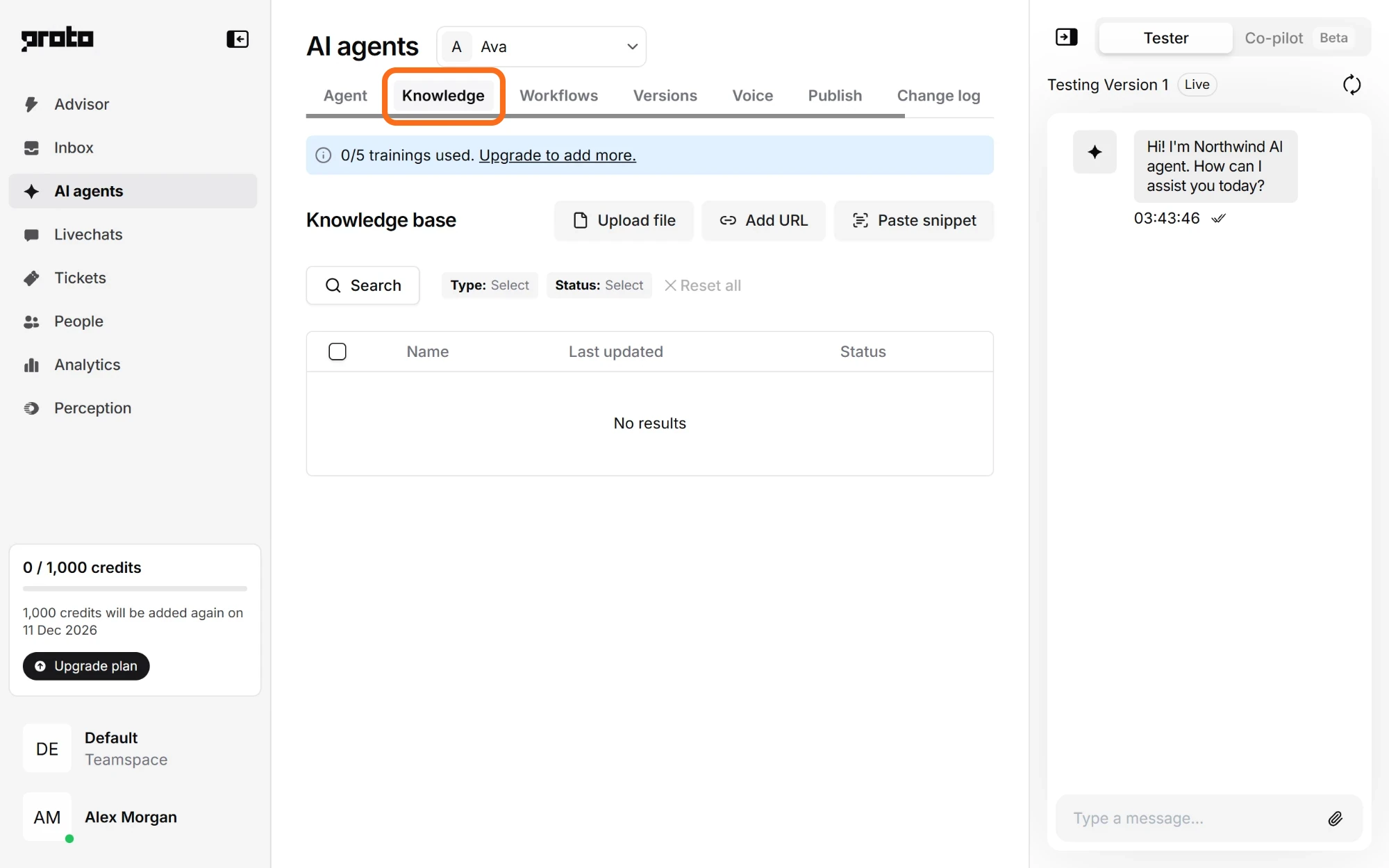
How do you want to add knowledge?
-
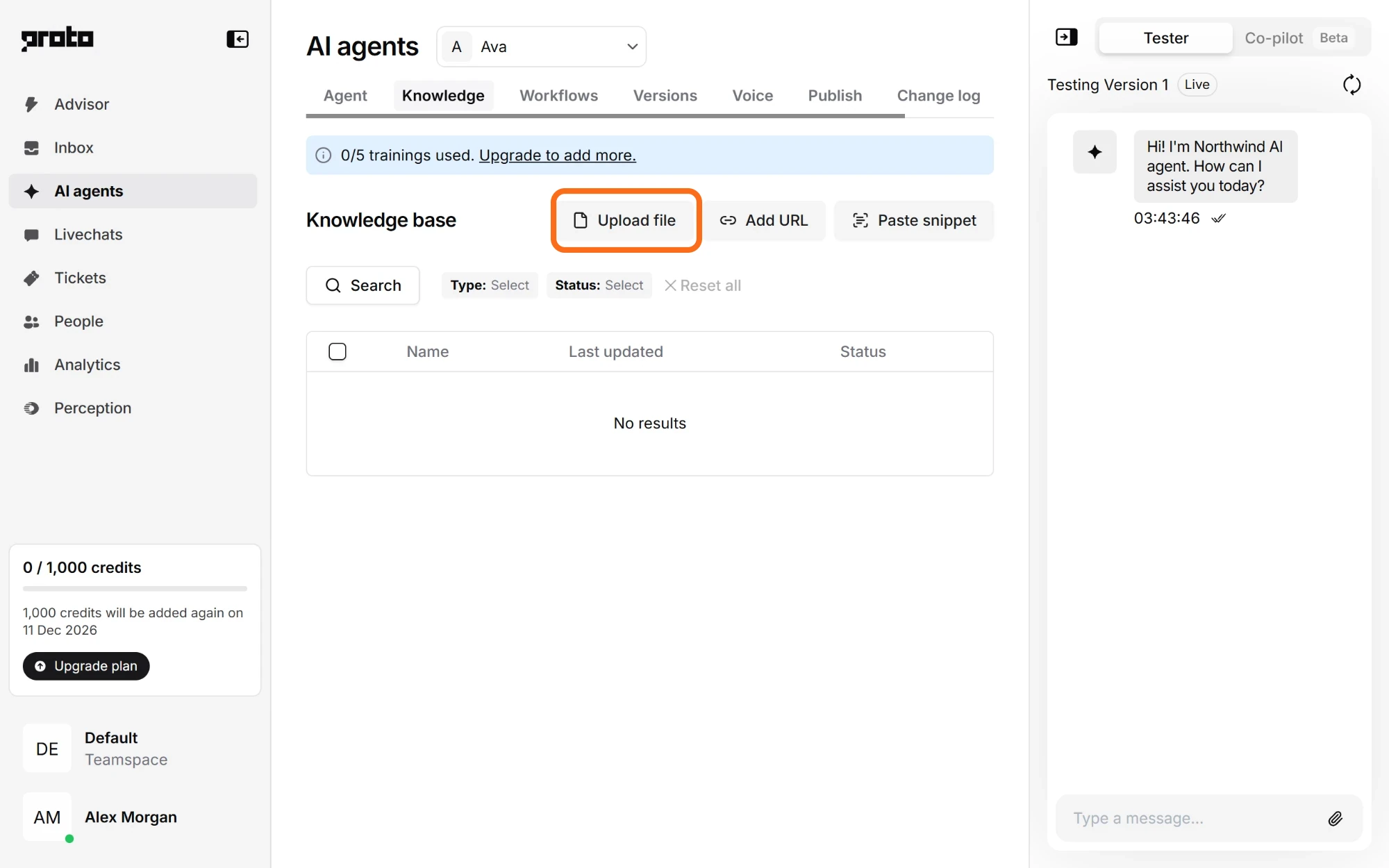
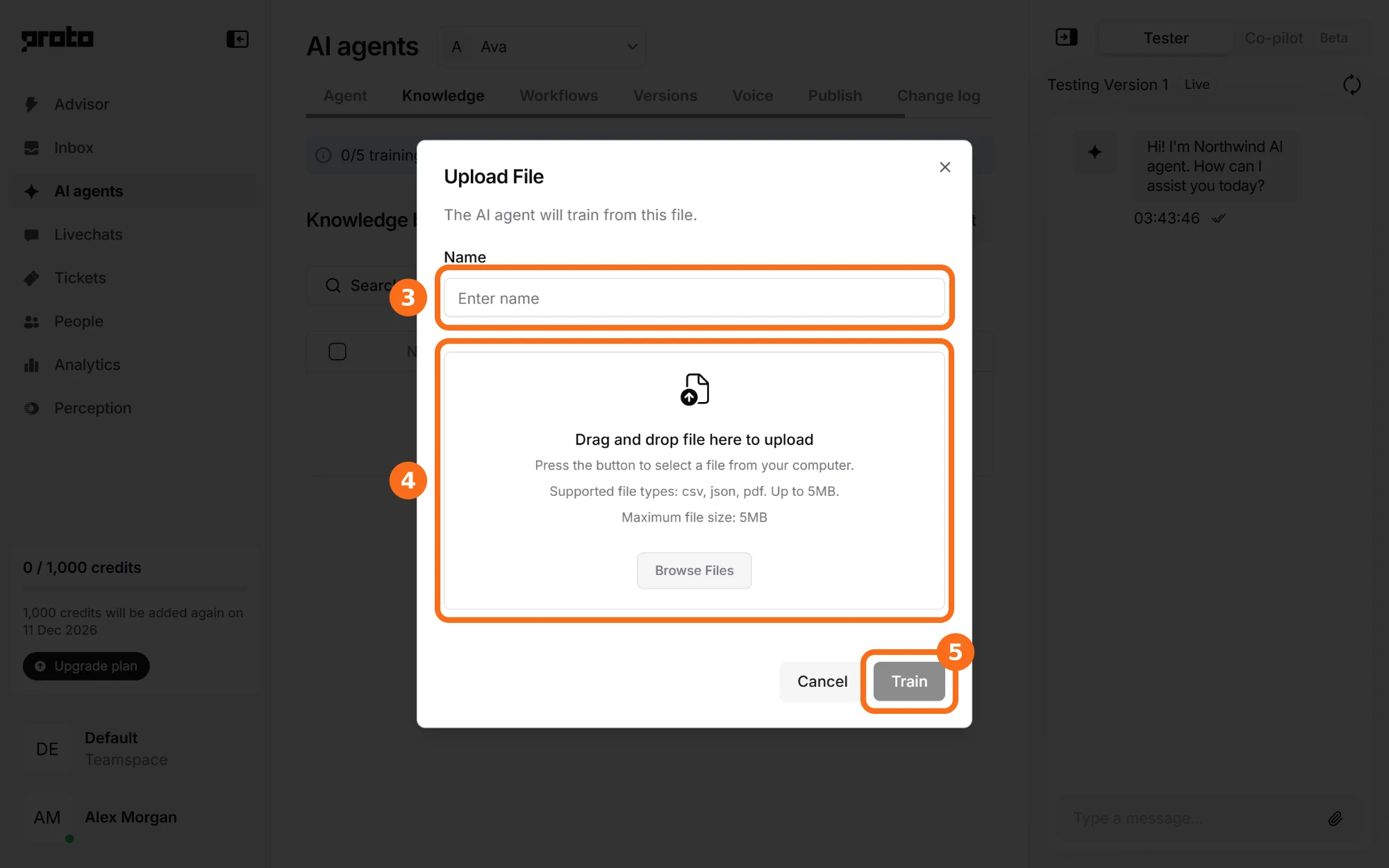
Select Upload file. The Upload File form opens.
-
In Name, enter a name your team will recognise, such as Price list.
-
Drag your file into the form, or select Browse Files. It can be a CSV, JSON or PDF file of up to 5 MB.
-
Select Train.
-
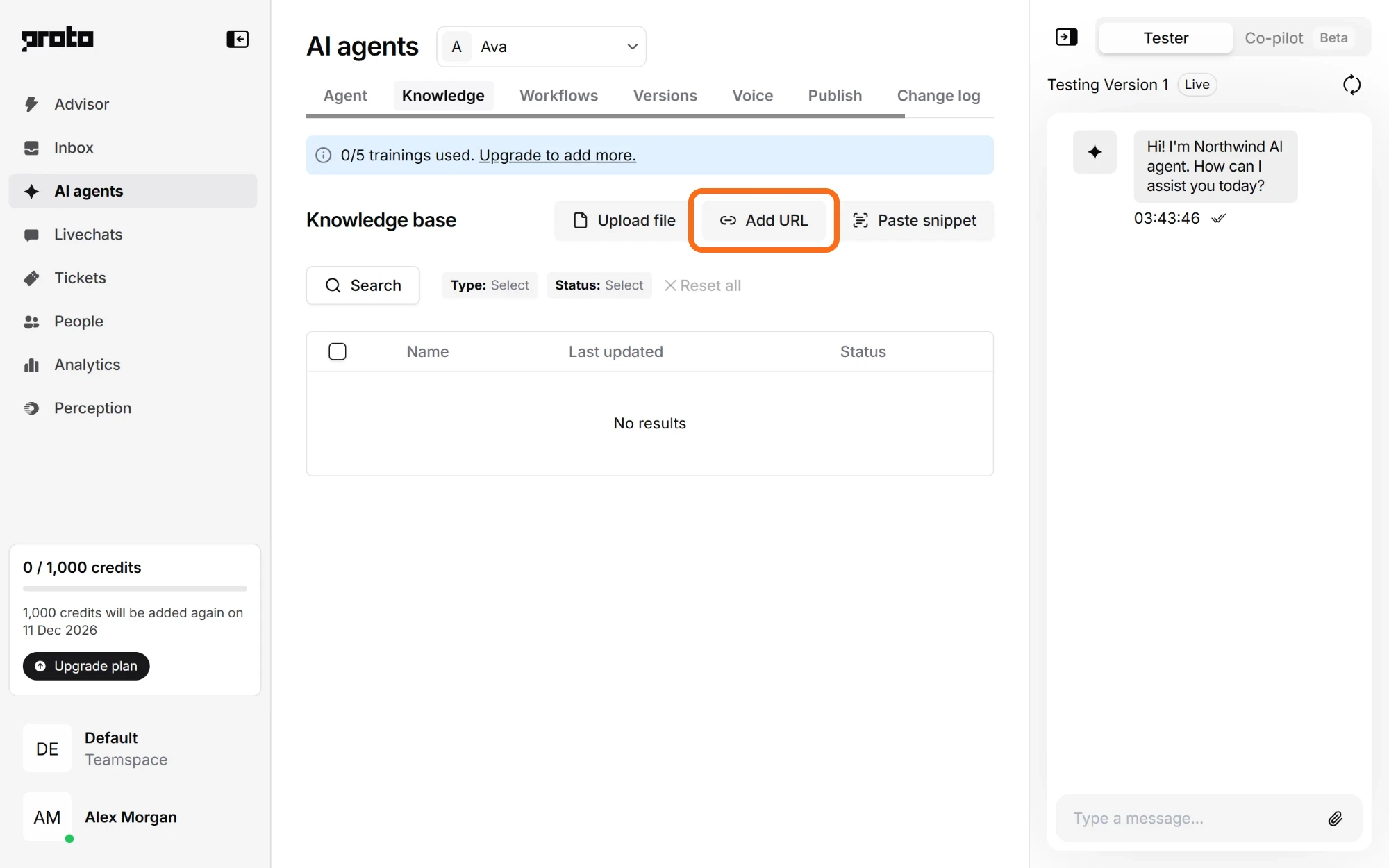
Select Add URL. The Add URL form opens.
-
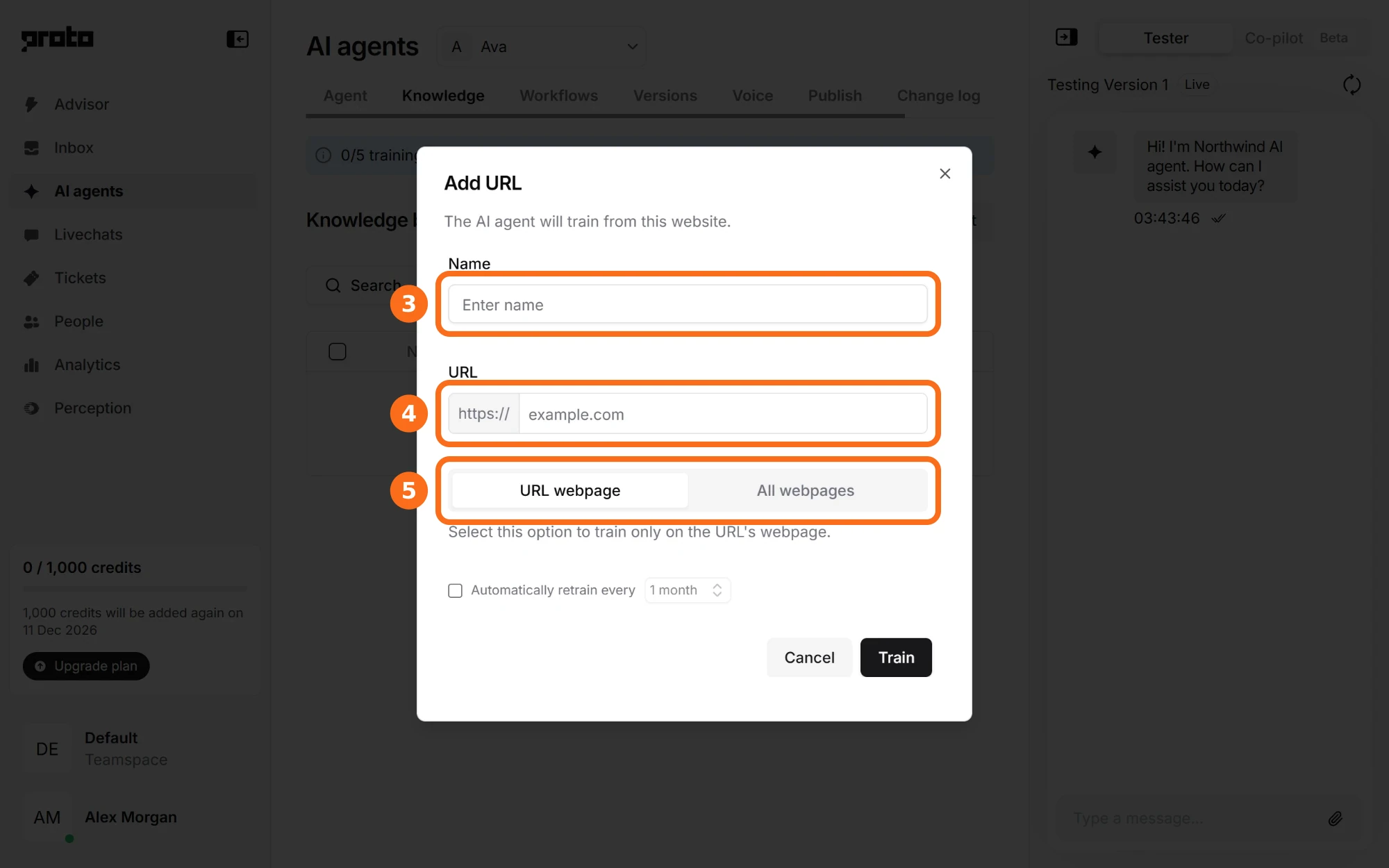
In Name, enter a name your team will recognise, such as Help centre.
-
In URL, enter the web address.
-
Choose URL webpage to use only that page, or All webpages to include the pages it links to.
-
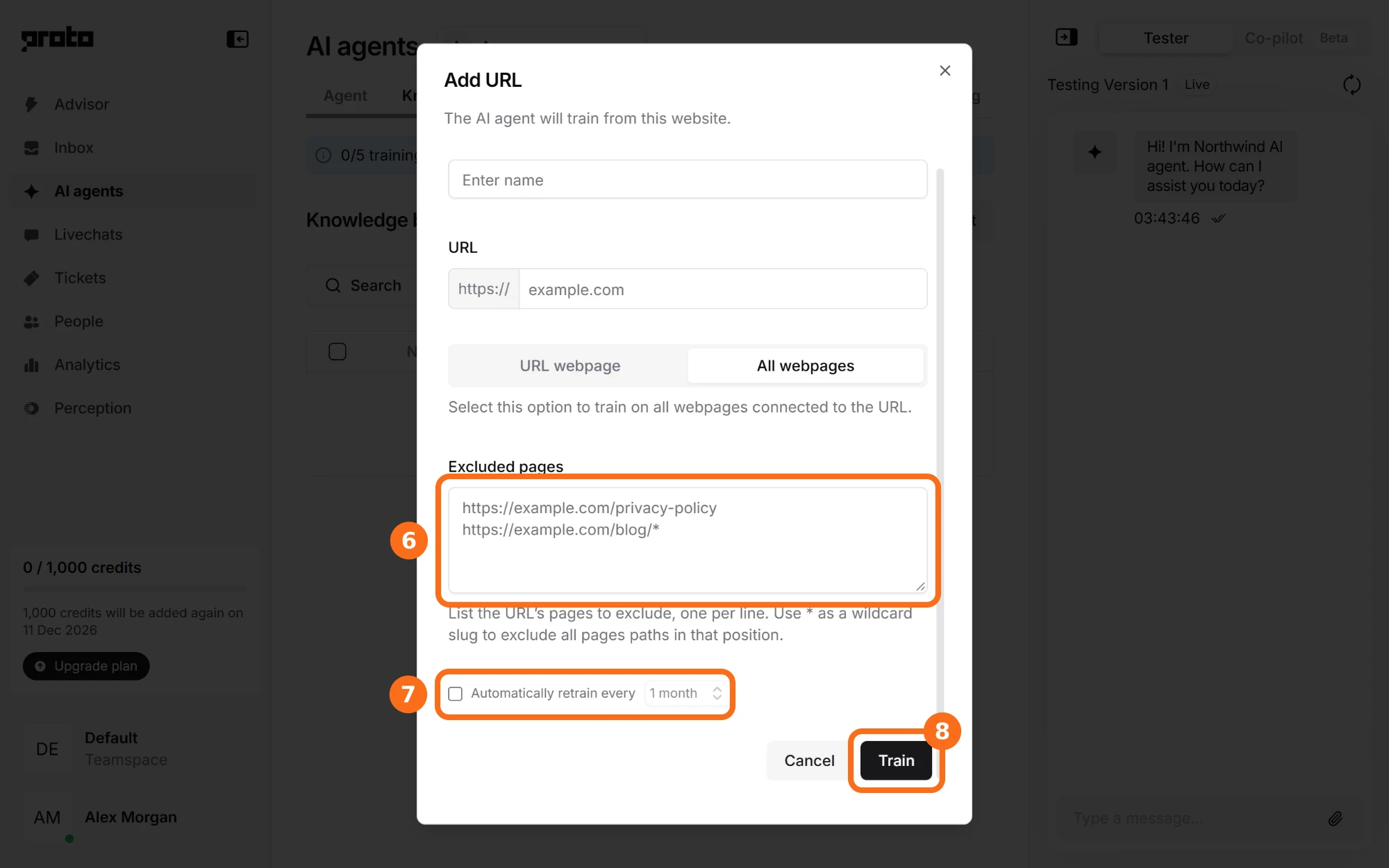
Optional, with All webpages: in Excluded pages, list any pages to skip, one per line, such as your privacy policy. To skip a whole section, end its address with *, such as example.com/blog/*.
-
Optional: tick Automatically retrain every and choose how often. Your AI agent then keeps up with changes to your website.
-
Select Train.
-
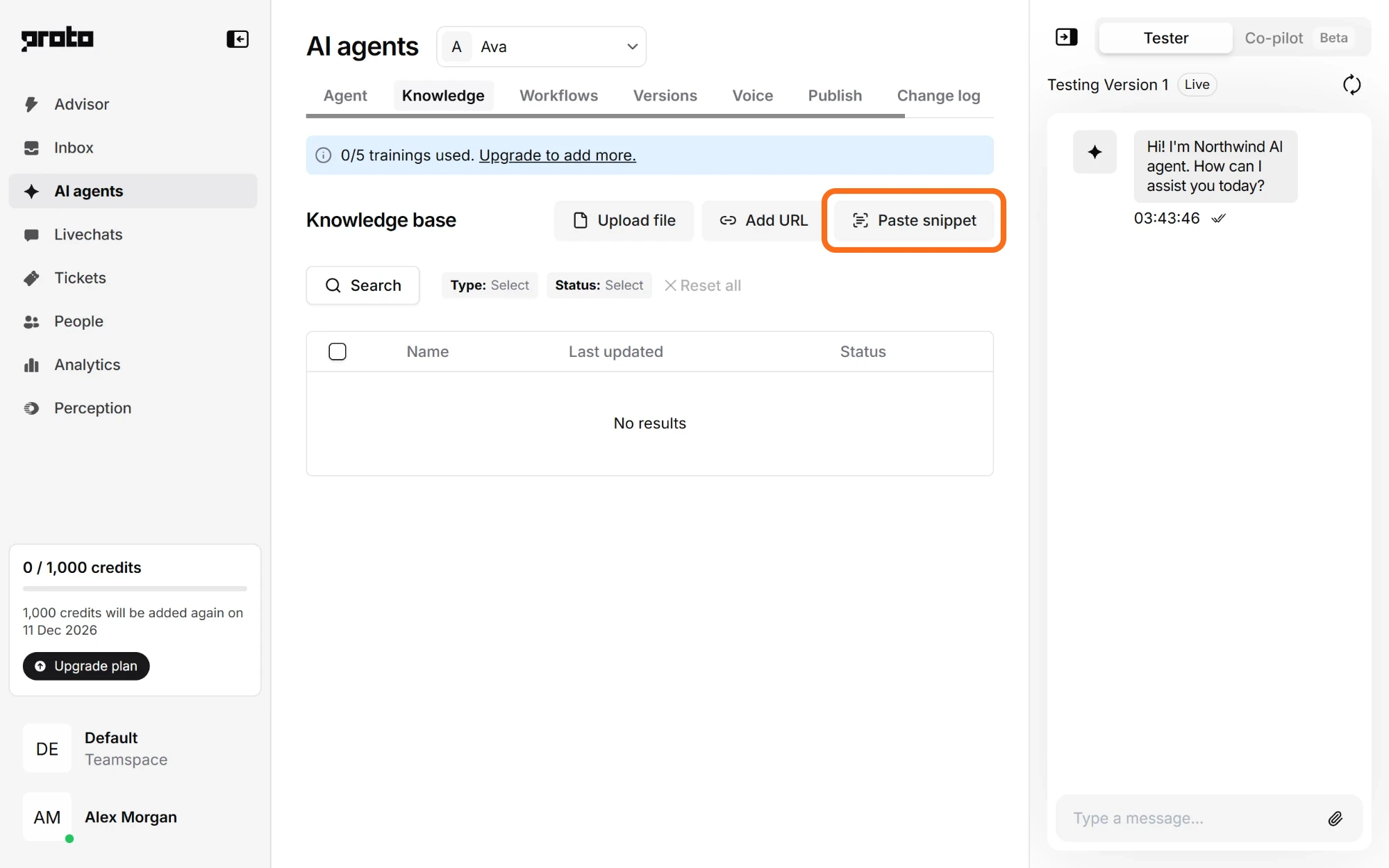
Select Paste snippet. The Paste Snippet form opens.
-
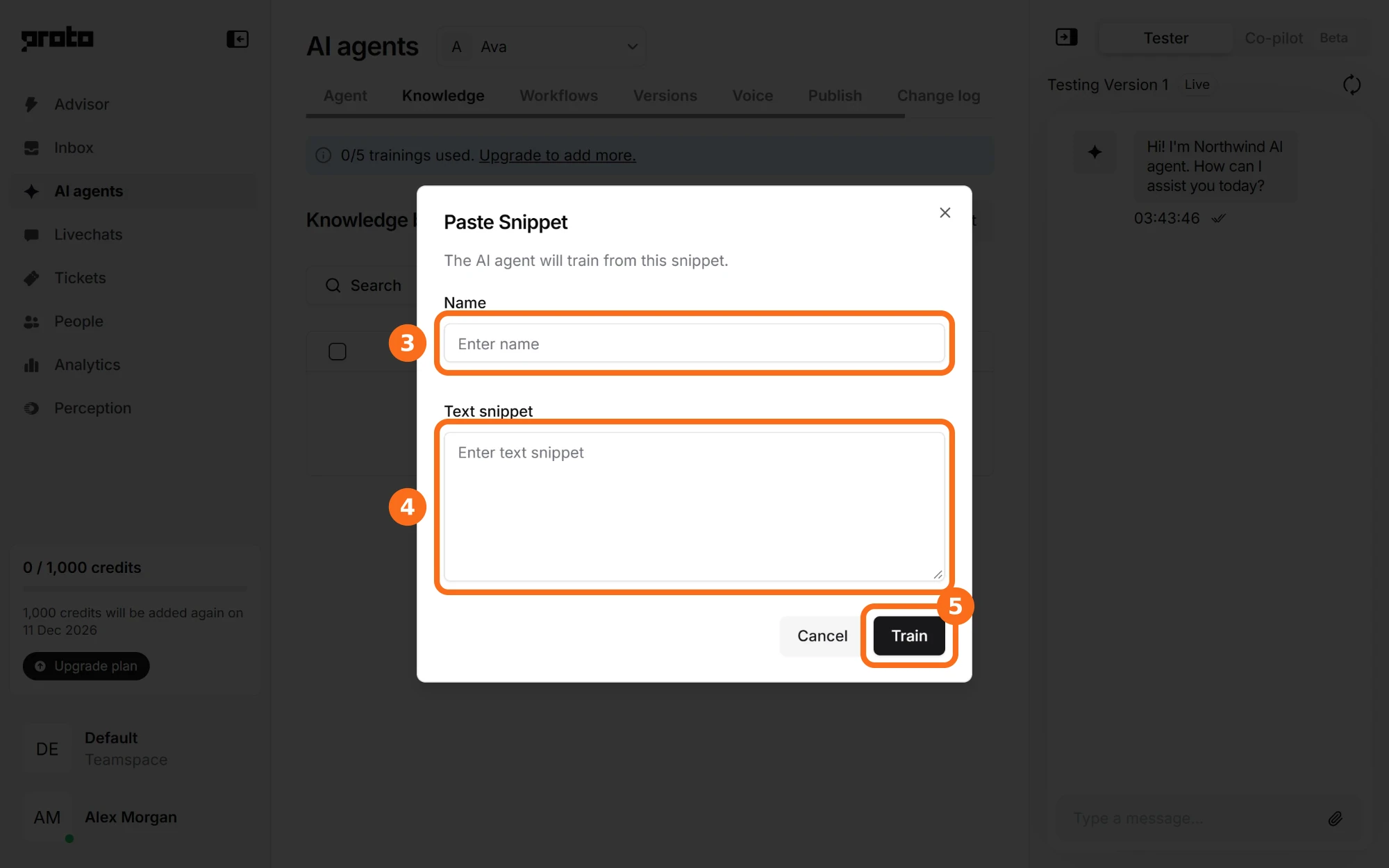
In Name, enter a name your team will recognise, such as Opening hours.
-
In Text snippet, type or paste your information.
-
Select Train.
Check it worked
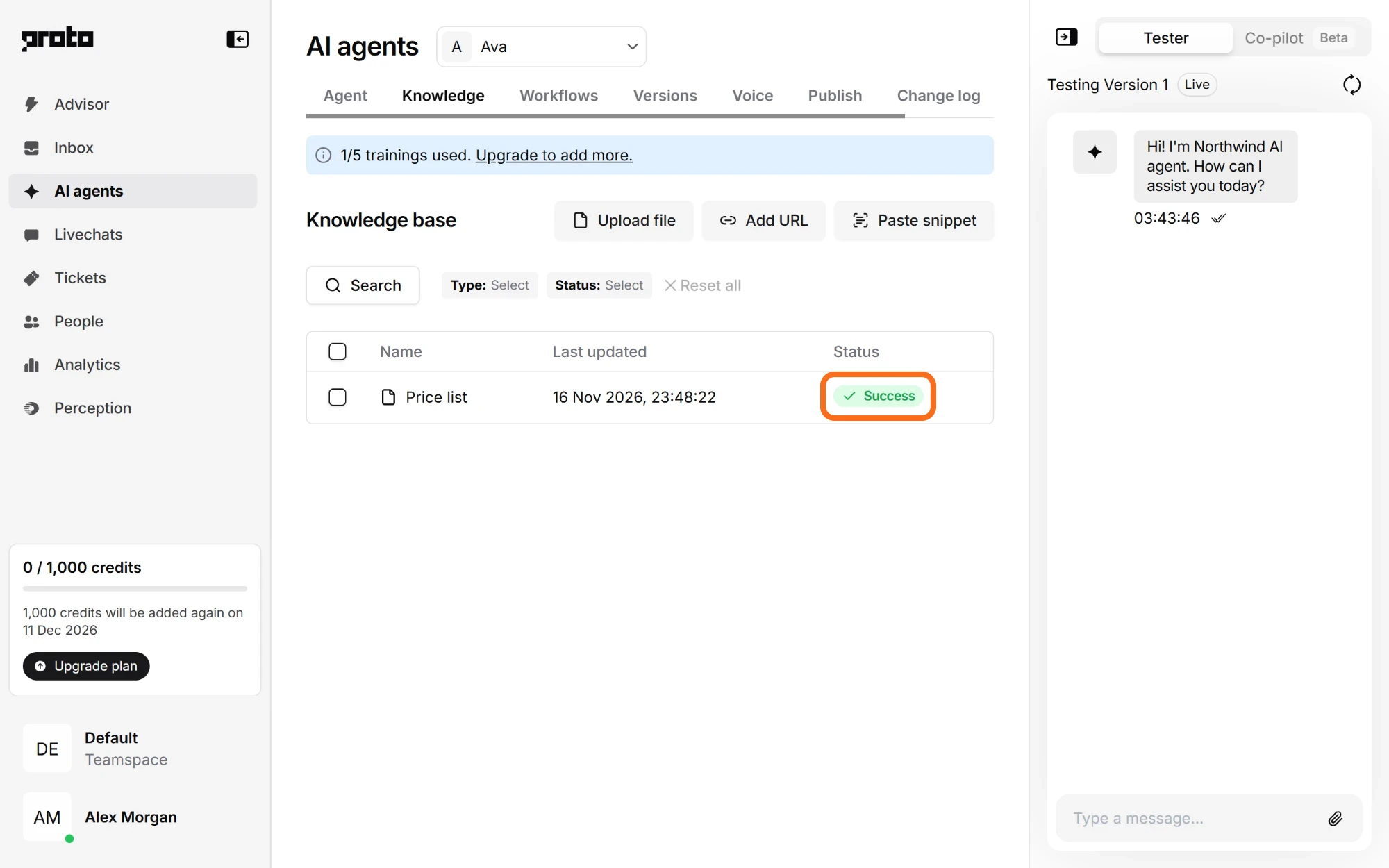
Your file appears in the Knowledge base list. A large file takes longer to train than a small one.
Checkpoint: your file’s Status says Success.
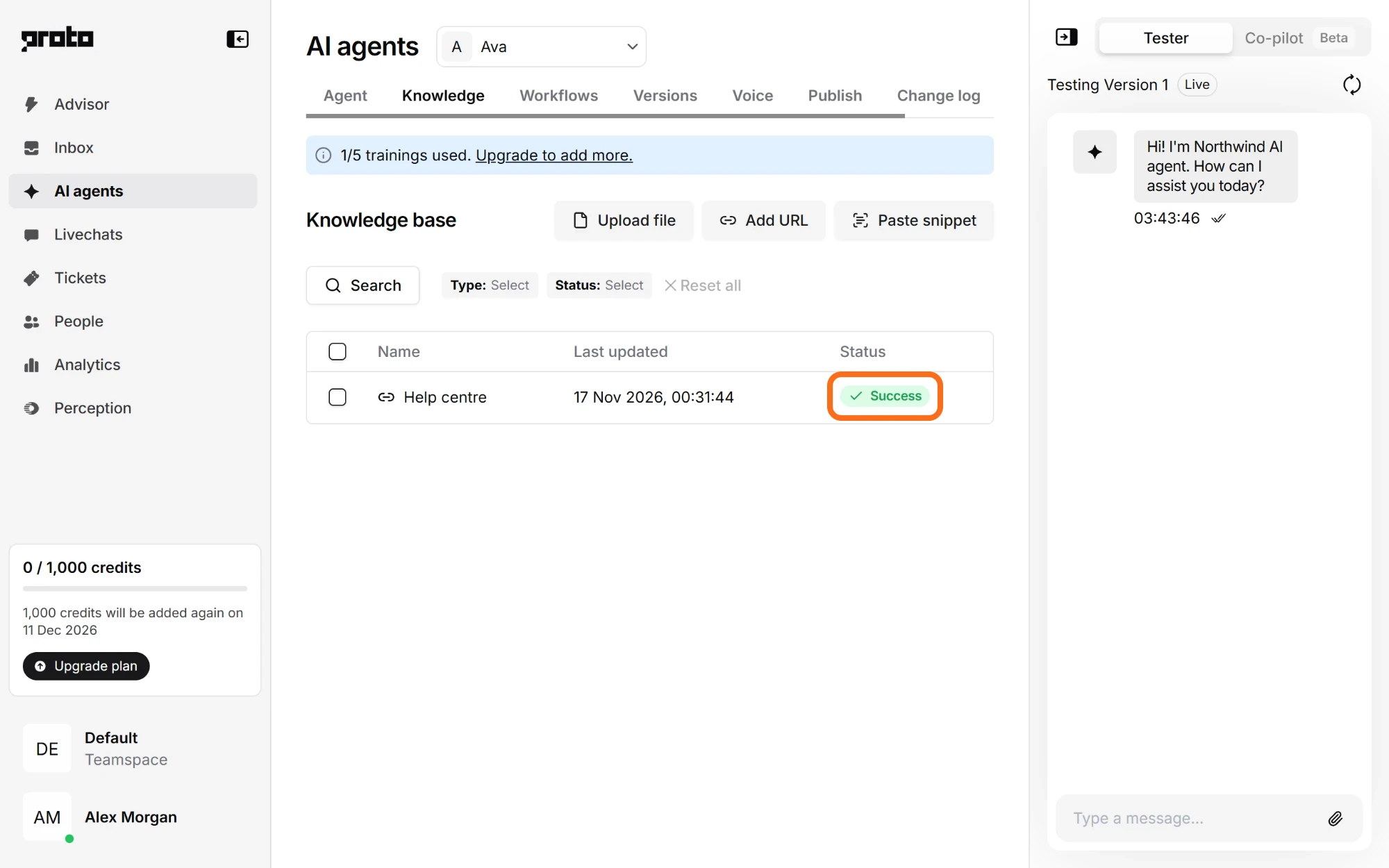
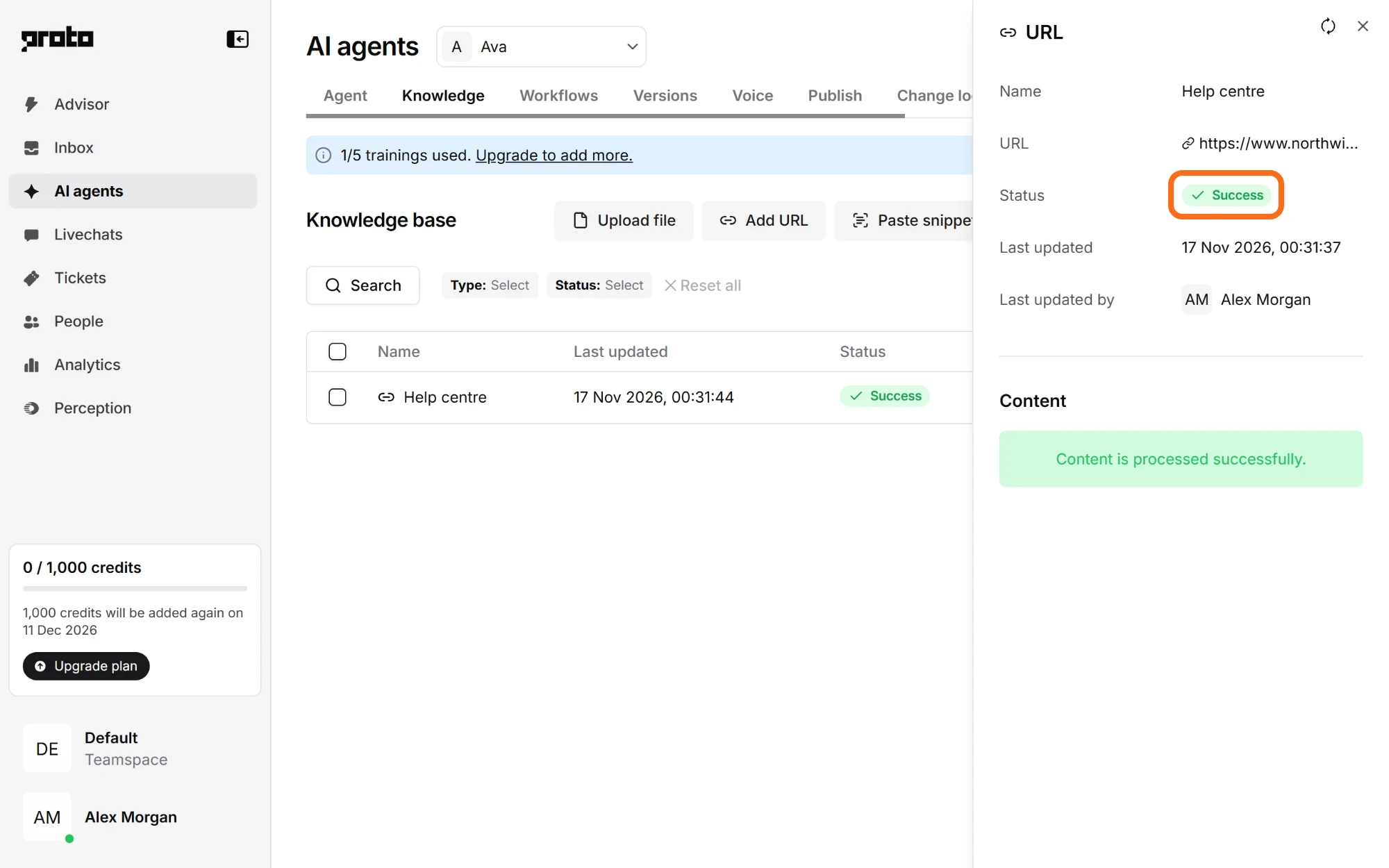
Your web page appears in the Knowledge base list. Its Status says Loading while it trains. With All webpages, training takes longer, because your AI agent reads every page.
Checkpoint: your web page’s Status says Success.
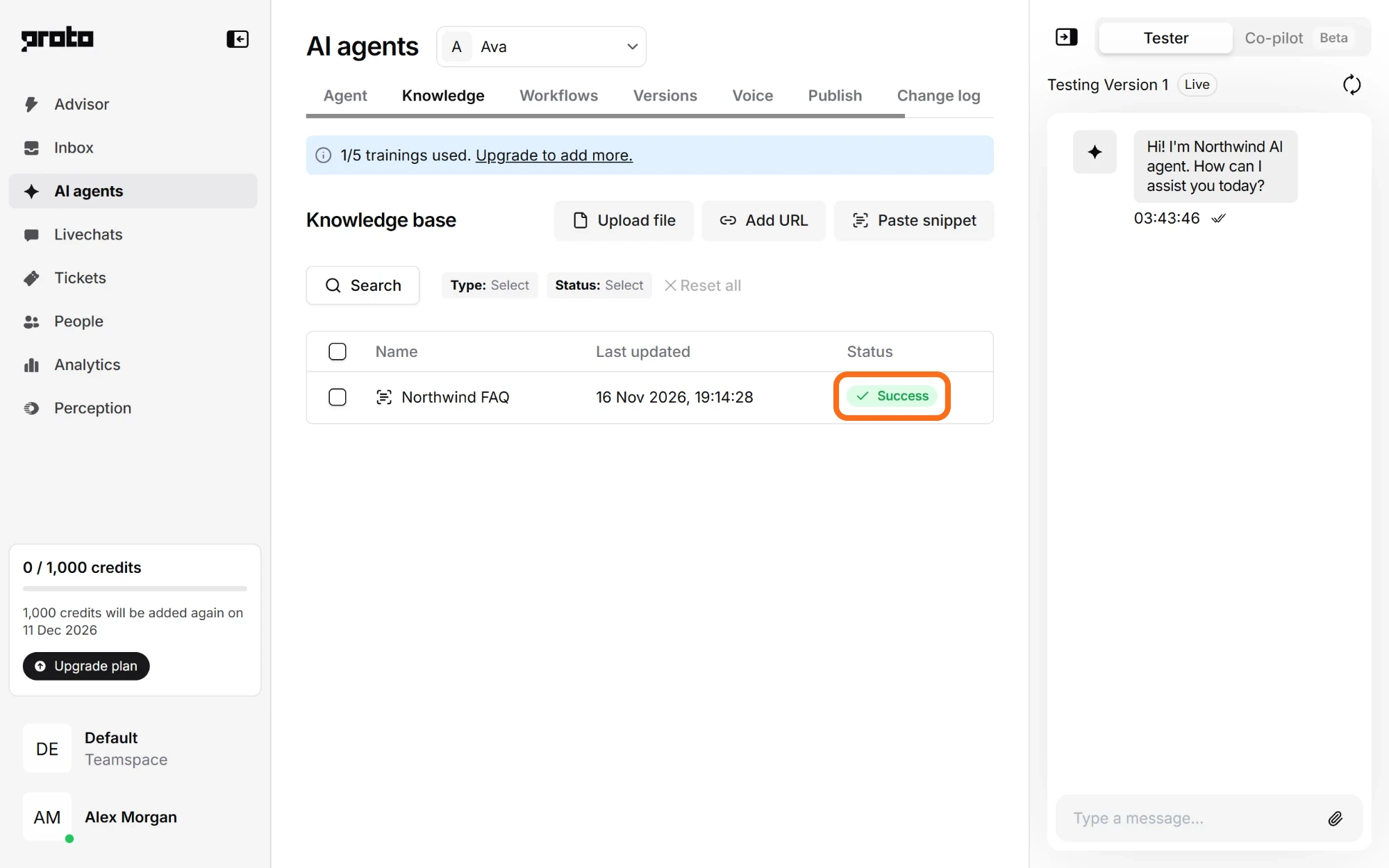
Your snippet appears in the Knowledge base list. Training a snippet takes a few seconds.
Checkpoint: your snippet’s Status says Success.
Keep it up to date
Your AI agent only knows what you last trained it on.
A file can’t be edited in Proto. When it changes, delete it and upload the new version.
-
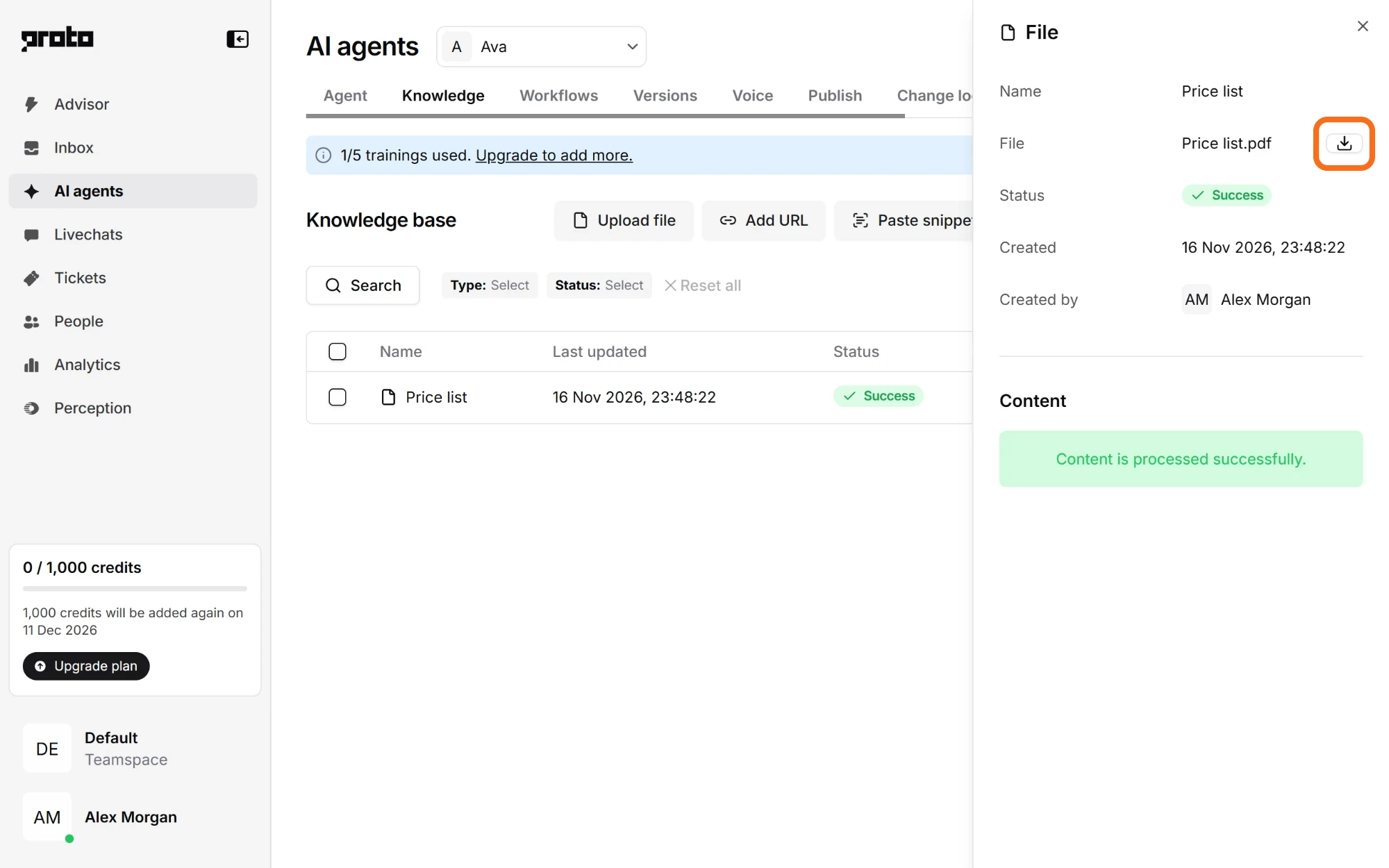
Optional: to get a copy of the file first, select it in the Knowledge base list. The File panel opens on the right. Select the download button next to the file’s name.
-
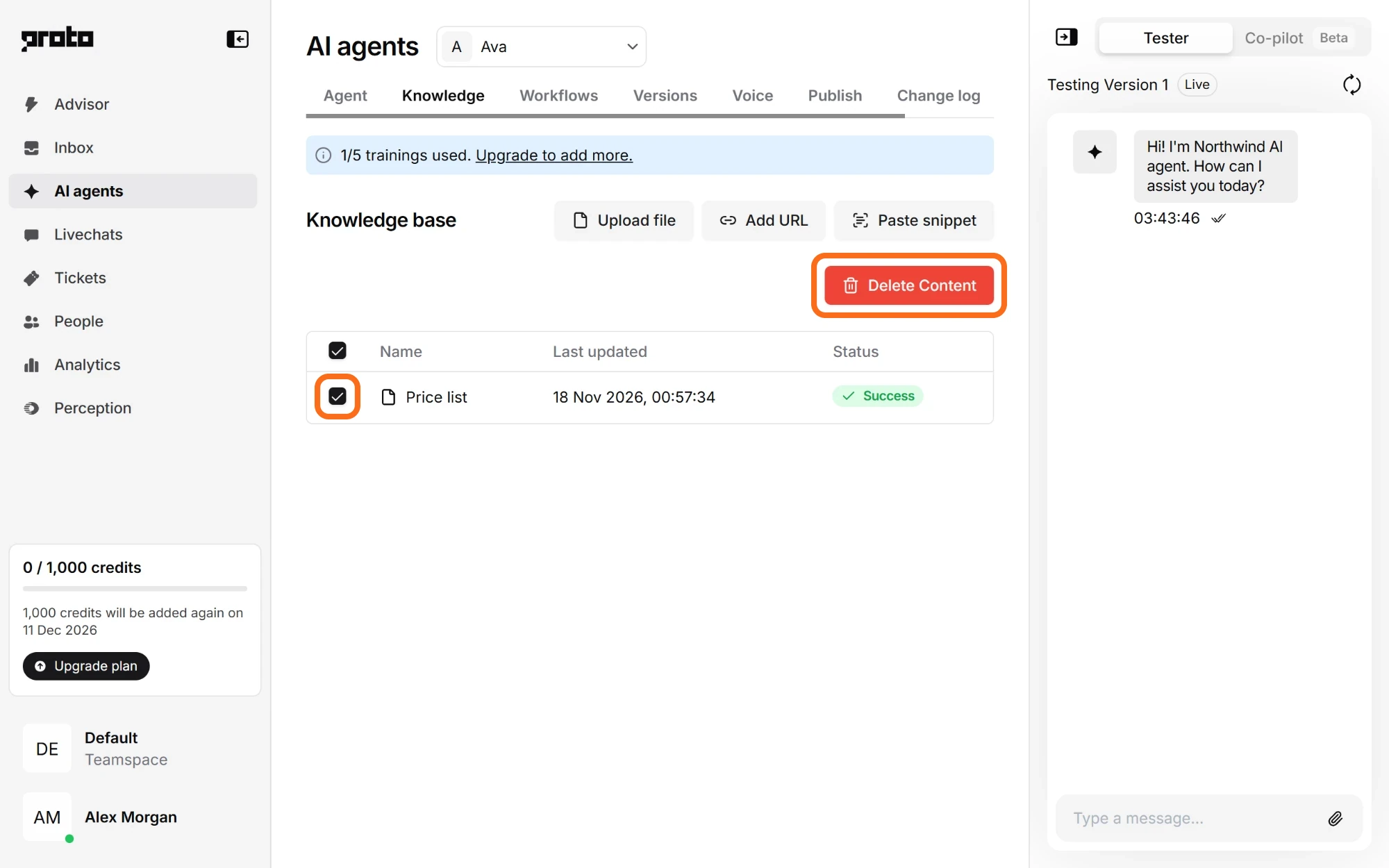
In the Knowledge base list, tick the box next to your file, then select Delete Content.
-
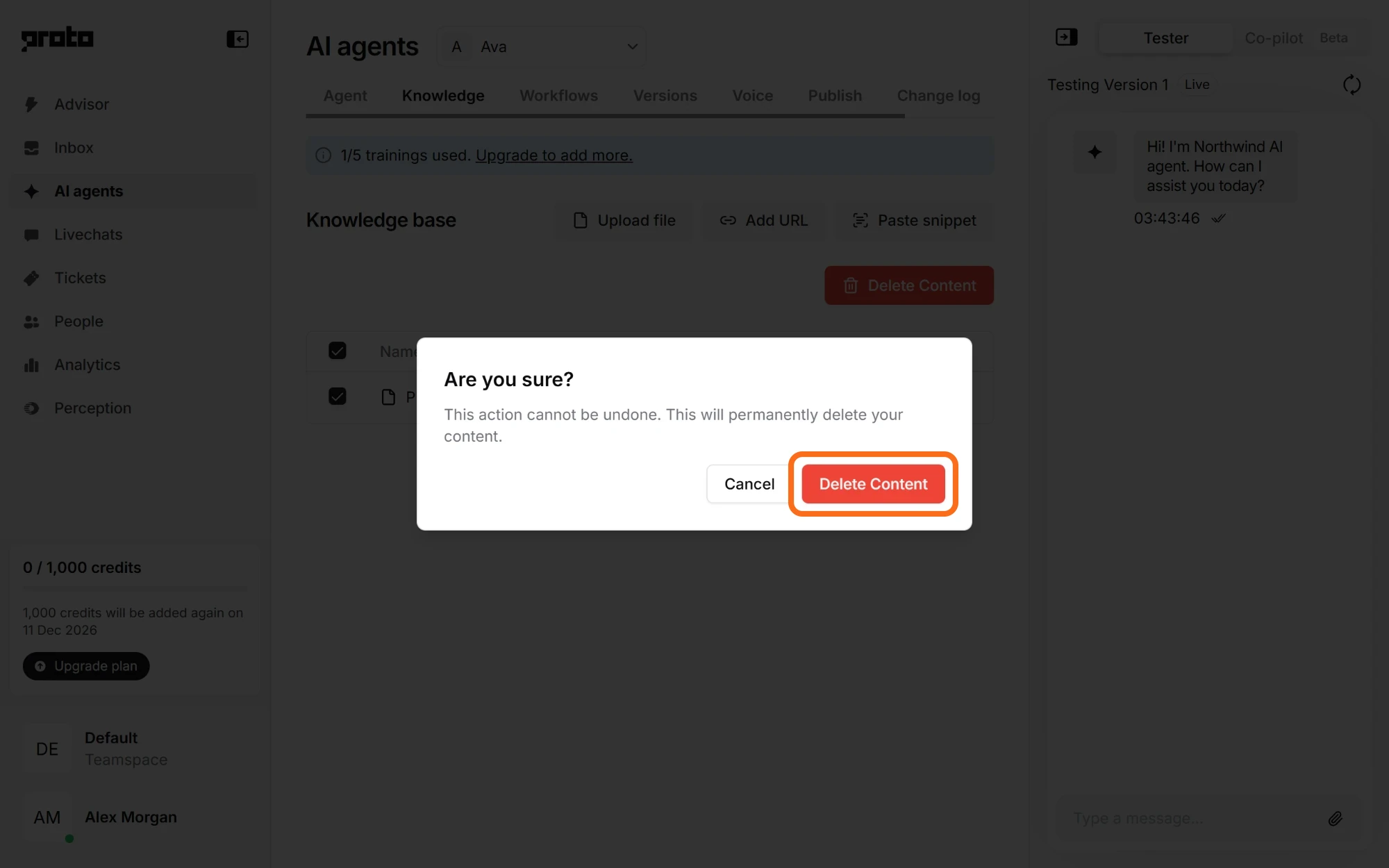
In Are you sure?, select Delete Content. The file is deleted for good.
-
Upload the new version, as in Add knowledge.
If you turned on Automatically retrain every, your web page updates by itself. To update it now, for example straight after you change your website, train it again.
-
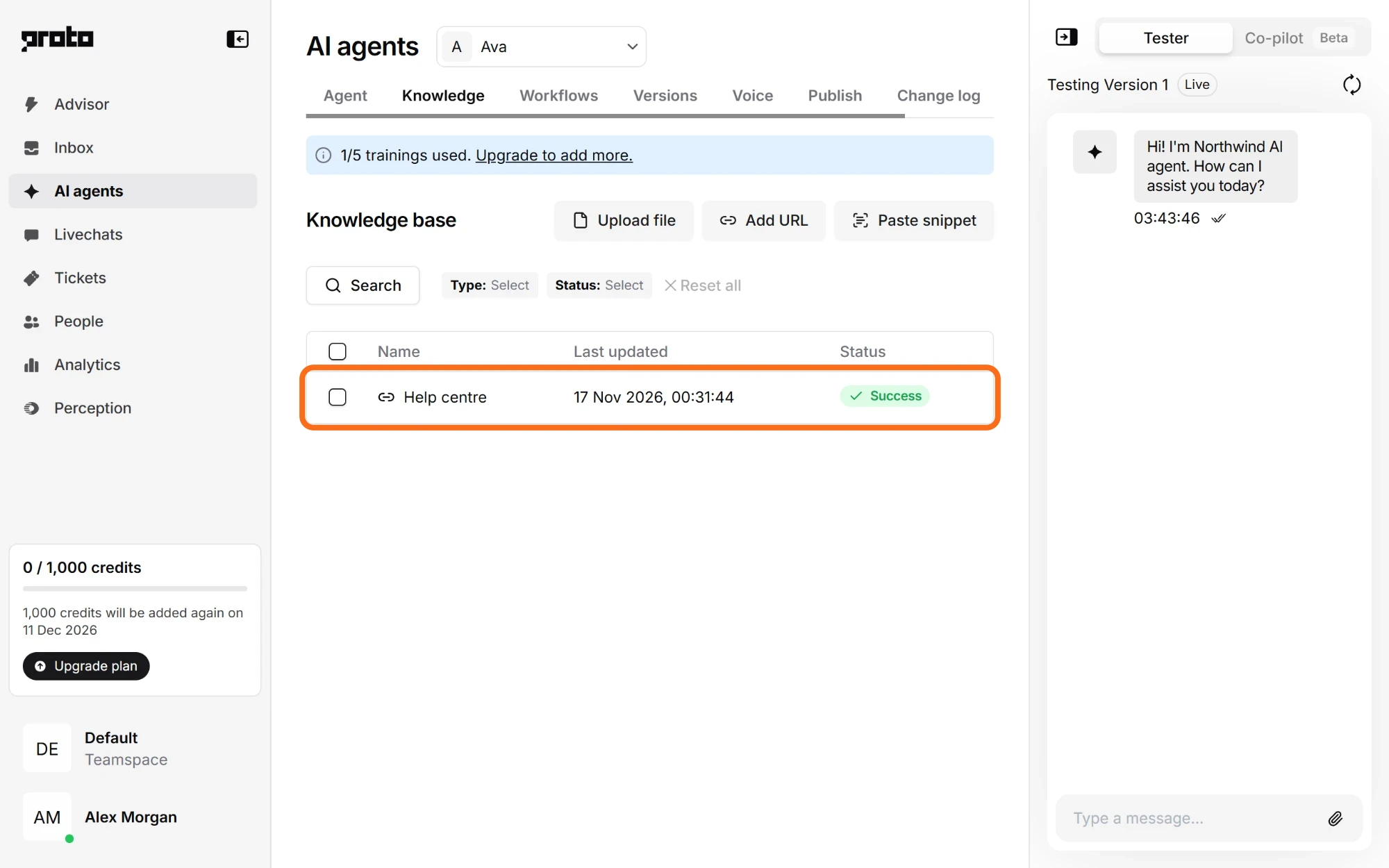
In the Knowledge base list, select your web page. The URL panel opens on the right.
-
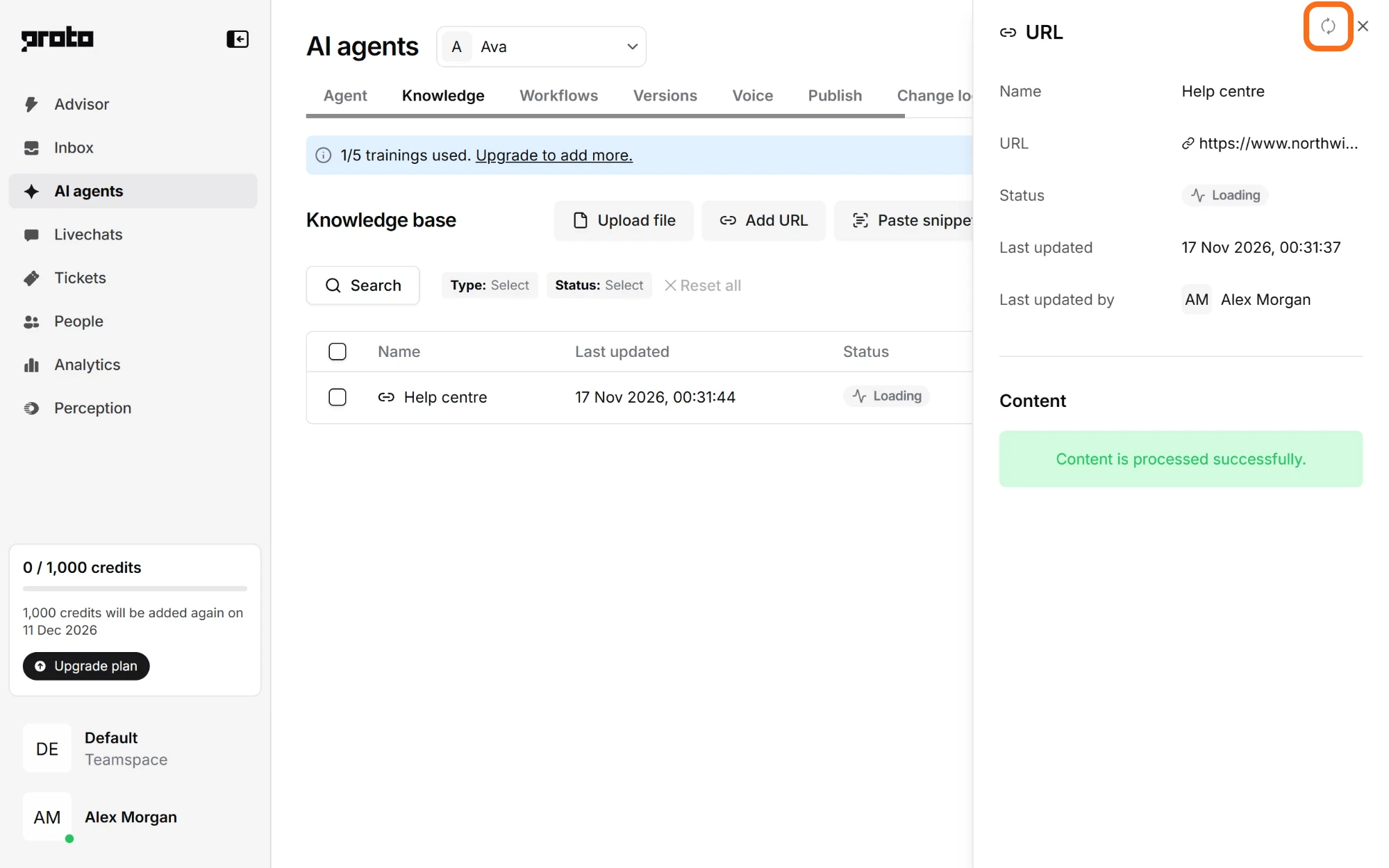
Select the refresh button, in the top right of the panel. The Status changes to Loading while your AI agent reads the page again.
-
Wait until the Status says Success.
When something changes, edit your snippet.
-
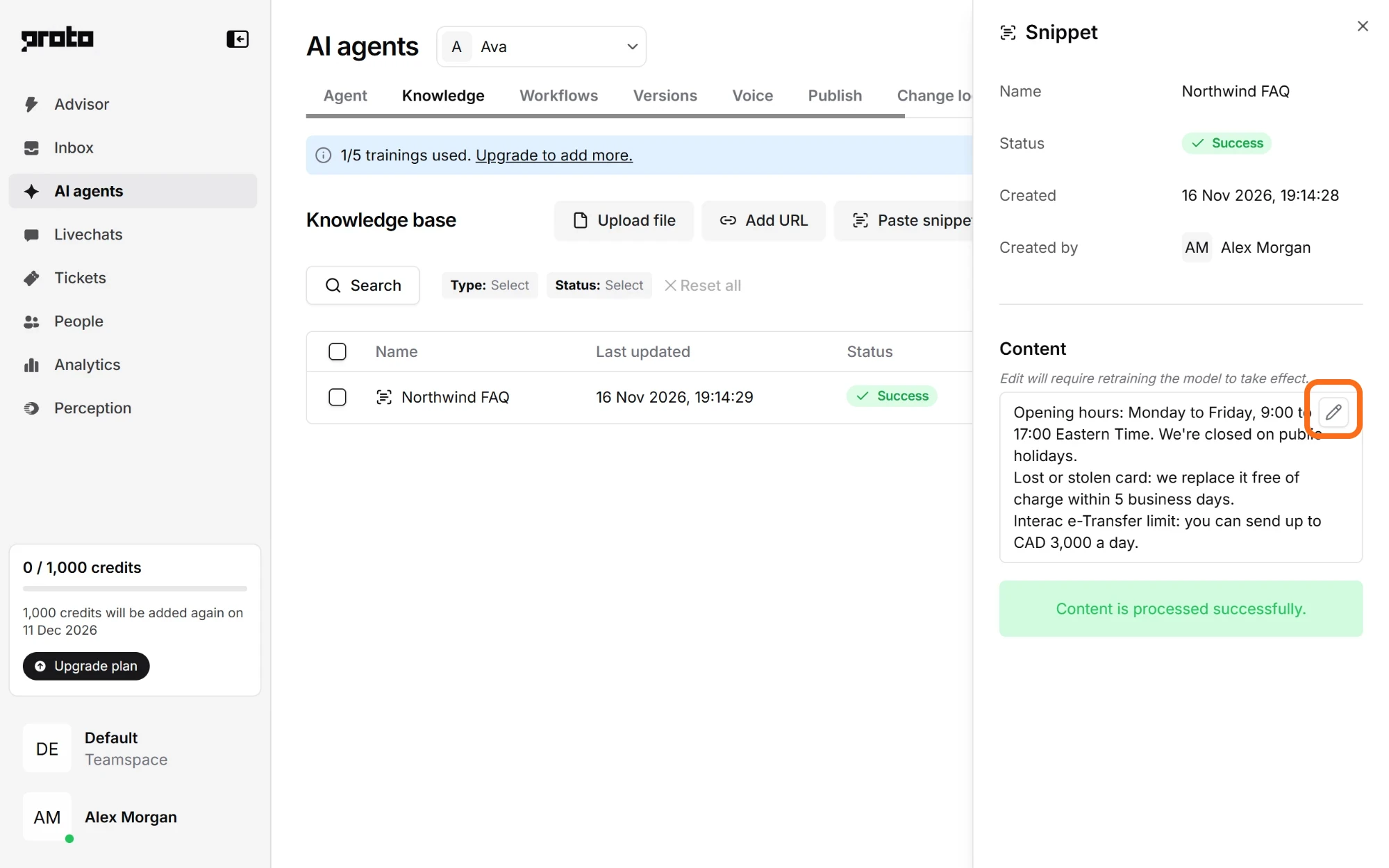
In the Knowledge base list, select your snippet. The Snippet panel opens on the right.
-
Under Content, select the edit button, then change the text.
-
Select anywhere outside the text box to save your change.