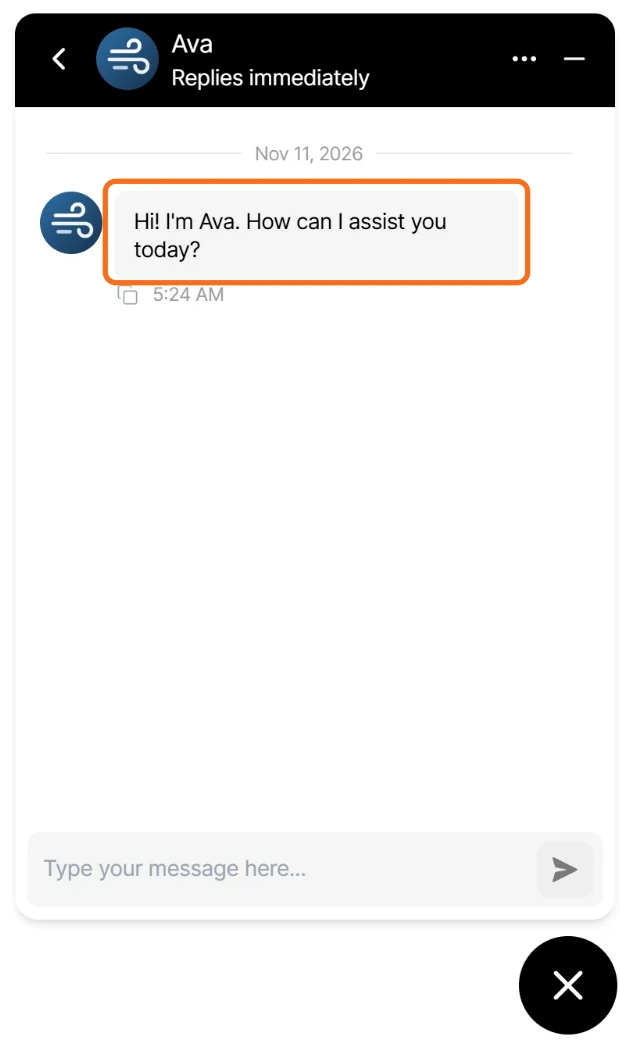
Publish on your website
Add your Webchat to your website, so people can chat with your AI agent there.
Your Webchat works on the demo page. To put it on your own website, you add a short script to the website once.
Copy the script
-
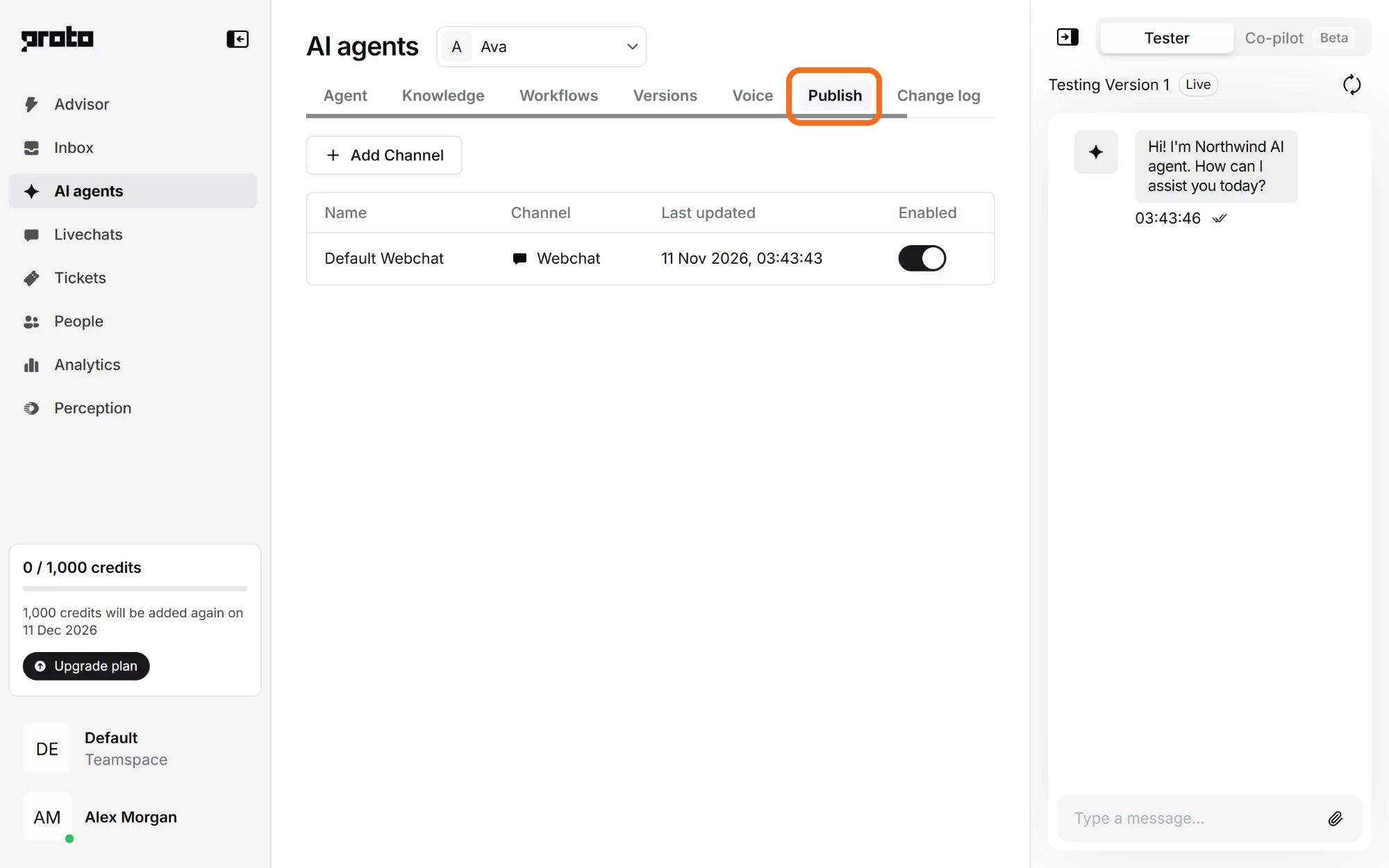
In the sidebar, select AI agents, then the Publish tab.
-
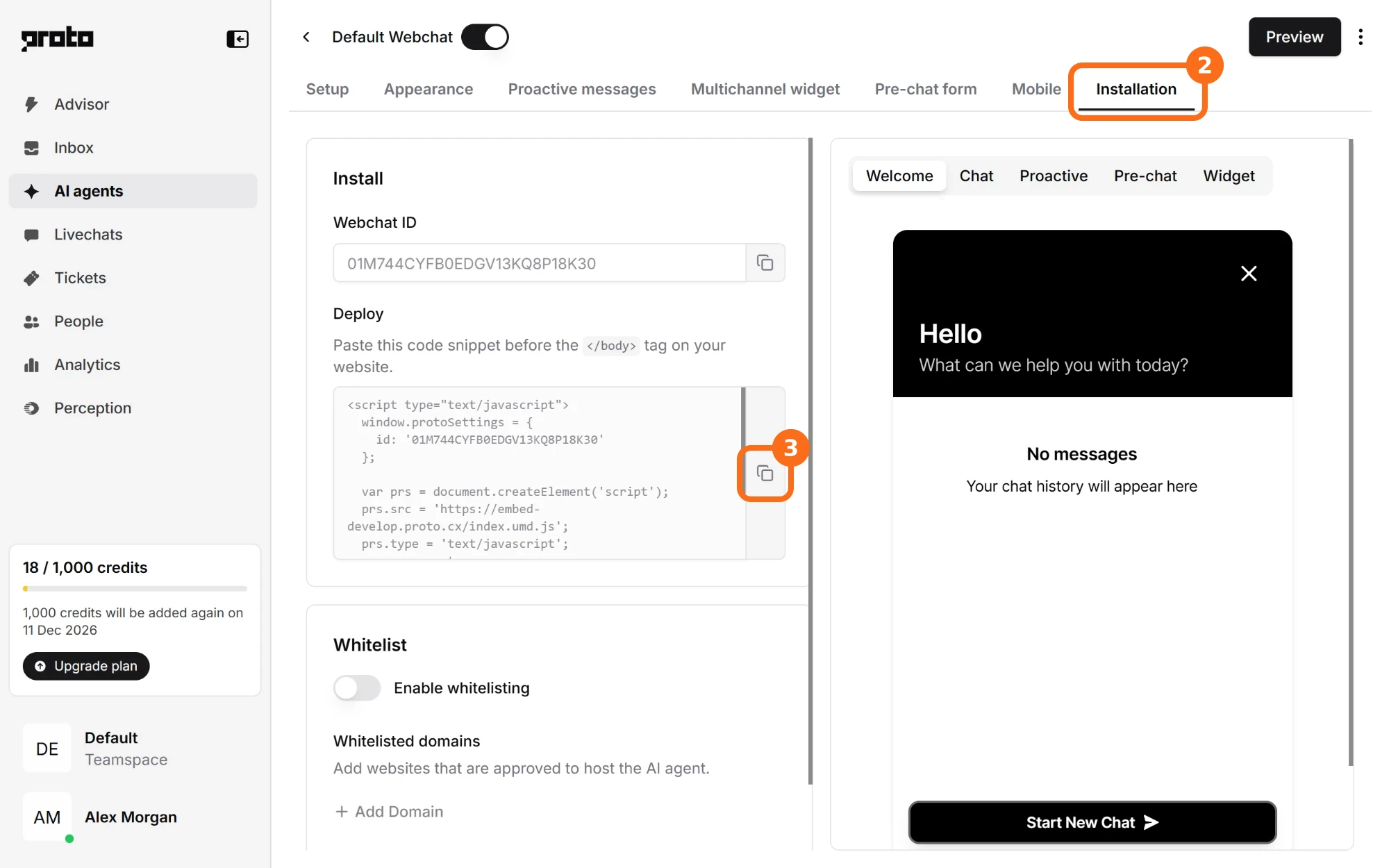
Select Default Webchat, then the Installation tab.
-
Under Deploy, select the copy button next to the script.
Add it to your website
- Paste the script just before the </body> tag on your website. If you can’t edit your website, send the script to whoever manages it.
- Publish the change to your website.
- Open your website. When your AI agent’s icon appears in the bottom right, select it.
Checkpoint: the chat opens on your website, and your AI agent says hello, just as it did on the demo page.