Set up your first AI agent
Proto has already made an AI agent for you. Give it the name people will see.
Name your AI agent
-
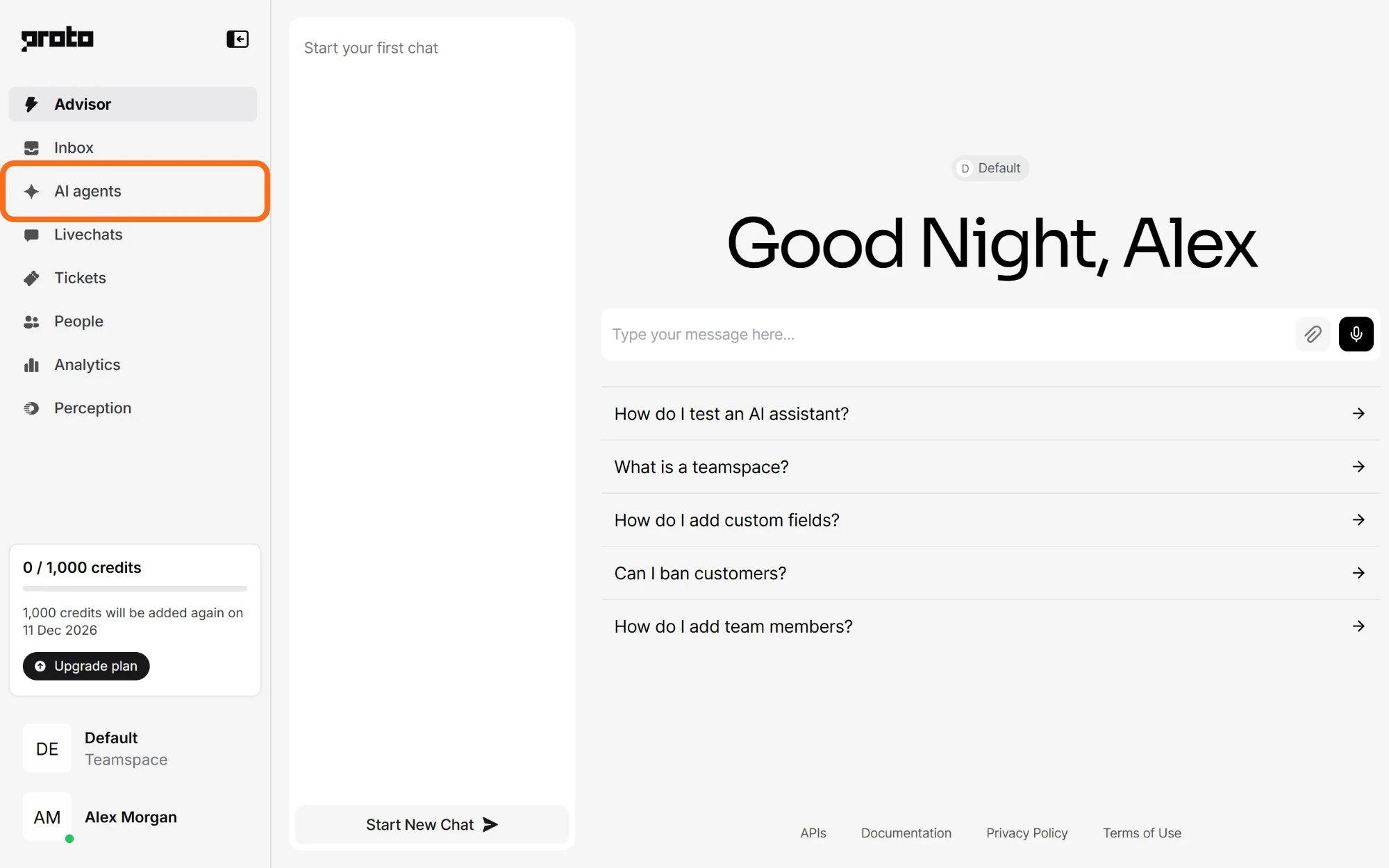
In the sidebar, select AI agents. The Agent tab opens.
-
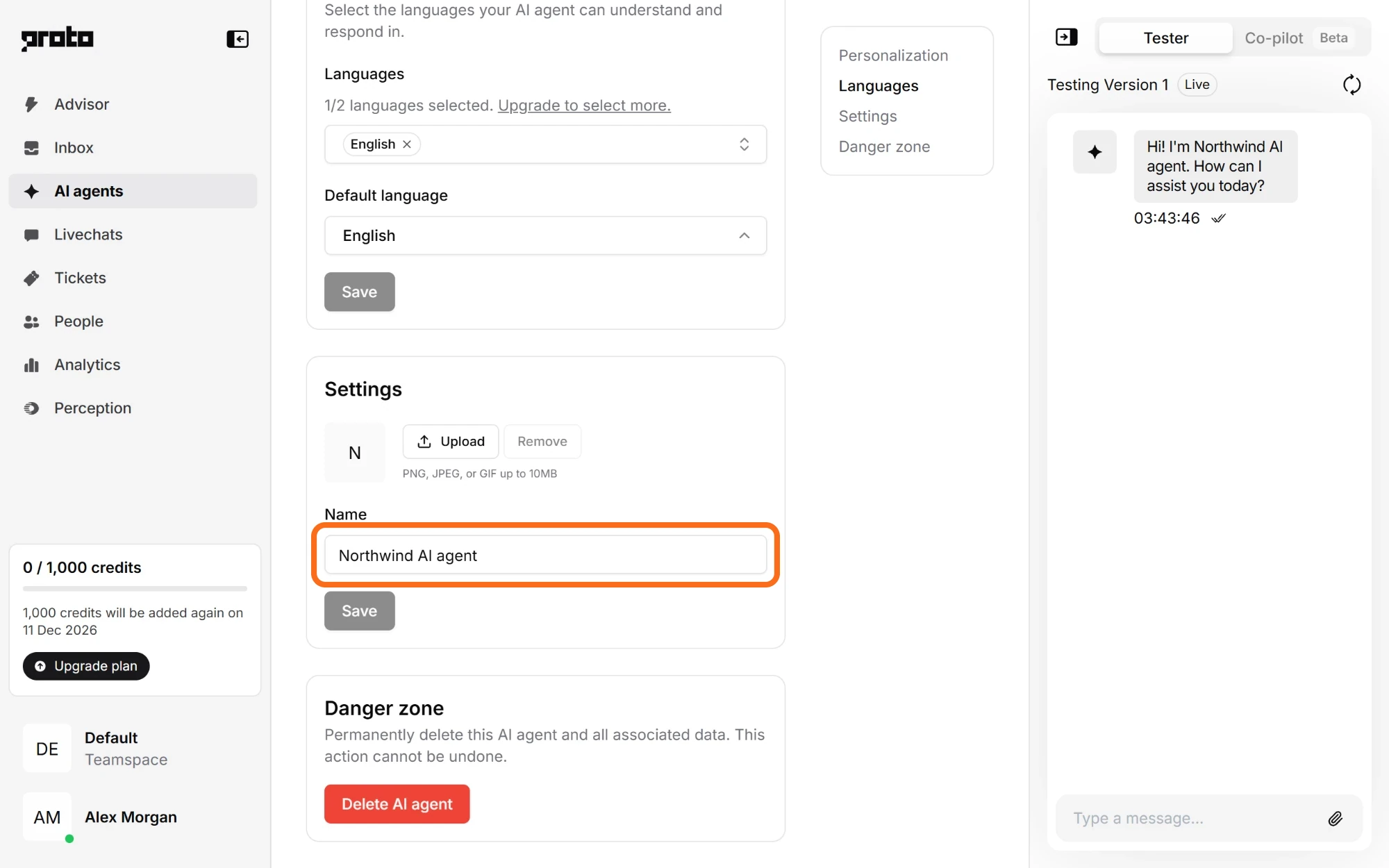
Scroll down to the Settings section. At first, your AI agent is named after your company, such as Northwind AI agent.
-
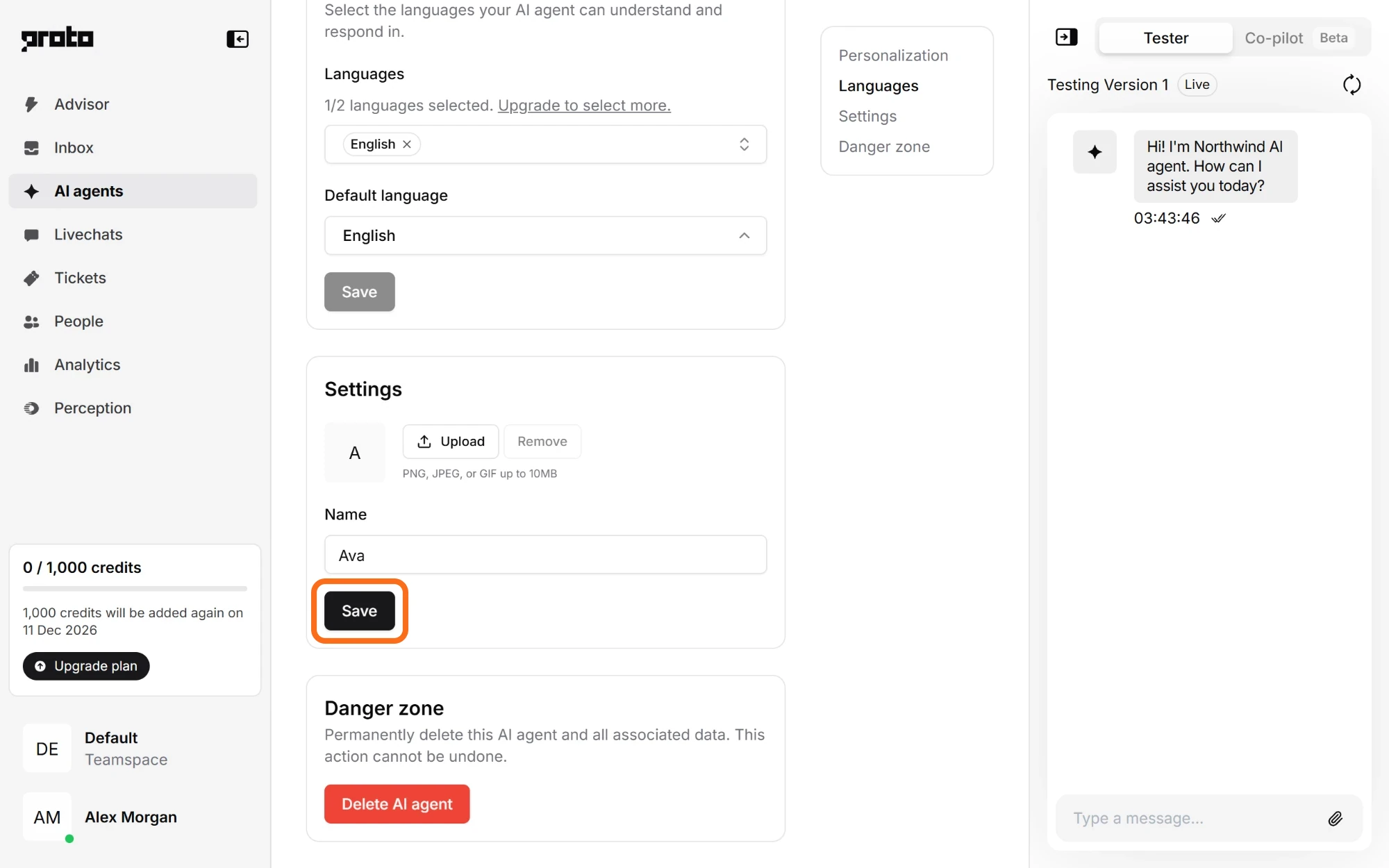
In Name, enter the name people will see, such as Ava.
-
Select Save, under the name.
Step 2 of 5 done
Next: Set up your first workflow