Workflows
Auto fill field
Let AI read the chat and fill in custom fields, such as the reason for contact.
Auto fill field reads the chat and fills in custom fields for you – such as Reason for contact or Product – so your team can sort and report on chats without tagging them by hand.
Before you start
It works with Single select (grouped) custom fields – fields with a fixed list of options. Set them up in Settings, under Teamspace, then Custom fields, on the Conversation fields or People fields tab.
Tip: the AI reads each field’s and option’s description. A short description of when to choose each option, such as Billing – questions about invoices, payments or refunds, makes the right choice more likely.
Settings
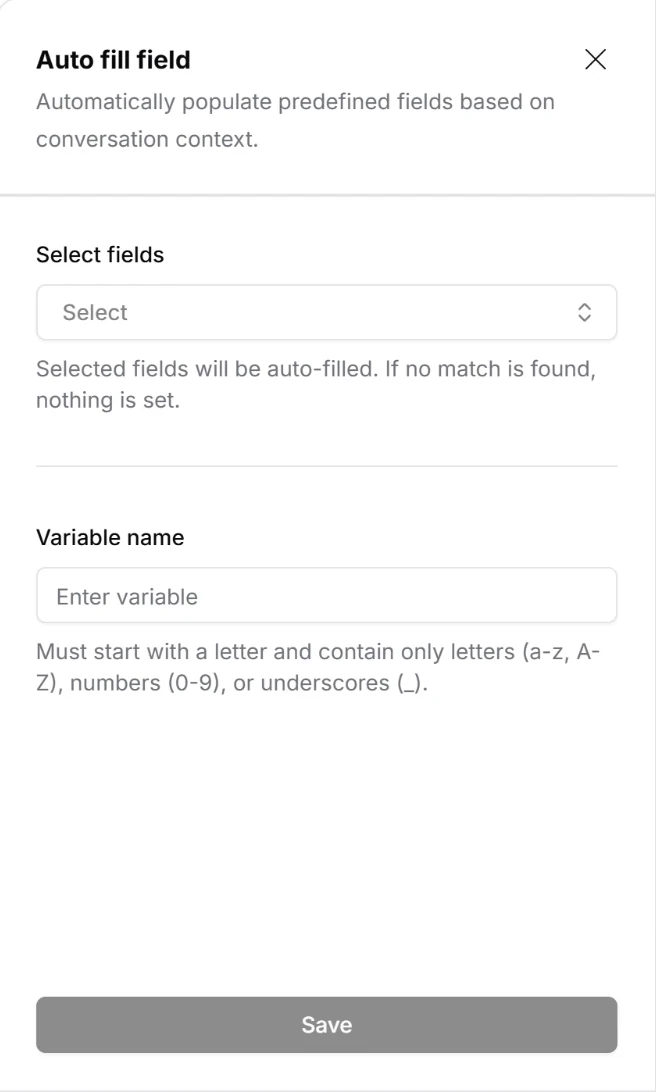
| Setting | What it does |
|---|---|
| Select fields | The fields to fill in. Conversation fields and people fields are listed separately. |
| Variable name | Optional. Where to save what changed, such as filled. |
What happens
- The AI reads the last 15 messages of the chat.
- For each field, it chooses the option that fits – or none, if nothing does.
- Proto saves the options it chose. Your team sees them in the Inbox straight away.
If a field already has a different value, it’s replaced. A field the AI has no answer for is left as it is.
The person doesn’t see anything.
Branches
| Branch | Runs when |
|---|---|
| Success | The AI finished – even if it didn’t fill in any fields. |
| Error | Something went wrong, such as the AI not replying within 30 seconds. What went wrong is in _auto_field_error. |
Use the result
Your Variable name is only set when at least one field changes. It lists each changed field by its name, with its old_value and new_value:
{filled["Reason for contact"].new_value.name}Good to know
- Run it when there’s enough to go on – such as after the person has explained their problem, or in the Chat closed workflow.
- Each run counts as two interactions.