Workflows
Set variable
Create a variable, or change one, for use later in the chat.
Set variable saves a value in a variable – such as a flag that the person has been verified, a count of attempts or a total worked out from other values.
Settings
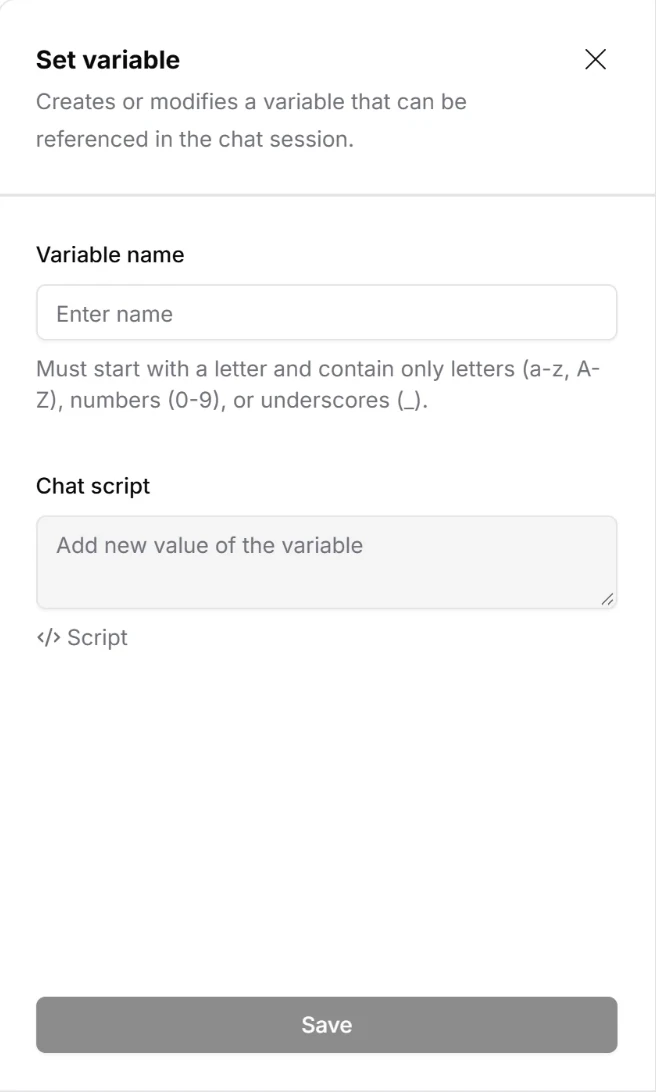
| Setting | What it does |
|---|---|
| Variable name | The variable to set, such as is_verified. If it doesn’t exist yet, it’s created. Use letters, numbers and underscores, and start with a letter. |
| Chat script | The new value, as an expression. |
Write a value
The Chat script is worked out, not copied – so text needs quotes.
| To set | Chat script |
|---|---|
| Some text | "gold" |
| A number | 3 |
| Yes or no | True or False |
| Nothing | None |
| Another variable’s value | email_address |
| A sum | price * quantity |
| One more than before | attempts + 1 |
| Text built from variables | first_name + " " + last_name |
| Part of an API response | order.status |
| A list | ["Billing", "Sales"] |
What happens
The variable is set, and the workflow carries on. The person doesn’t see anything.
Good to know
- A word without quotes is read as a variable name.
goldon its own means the variable called gold – usually empty. - To count something, start it at
0in an earlier Set variable. A variable that doesn’t exist isNone, andNone + 1stops the workflow. - If Variable name or Chat script is empty, the action does nothing.