Workflows
Branch
Take a different path through the workflow depending on a condition.
Branch chooses what happens next, based on conditions you set – for example, offering a call back to Gold customers and a ticket to everyone else.
Settings
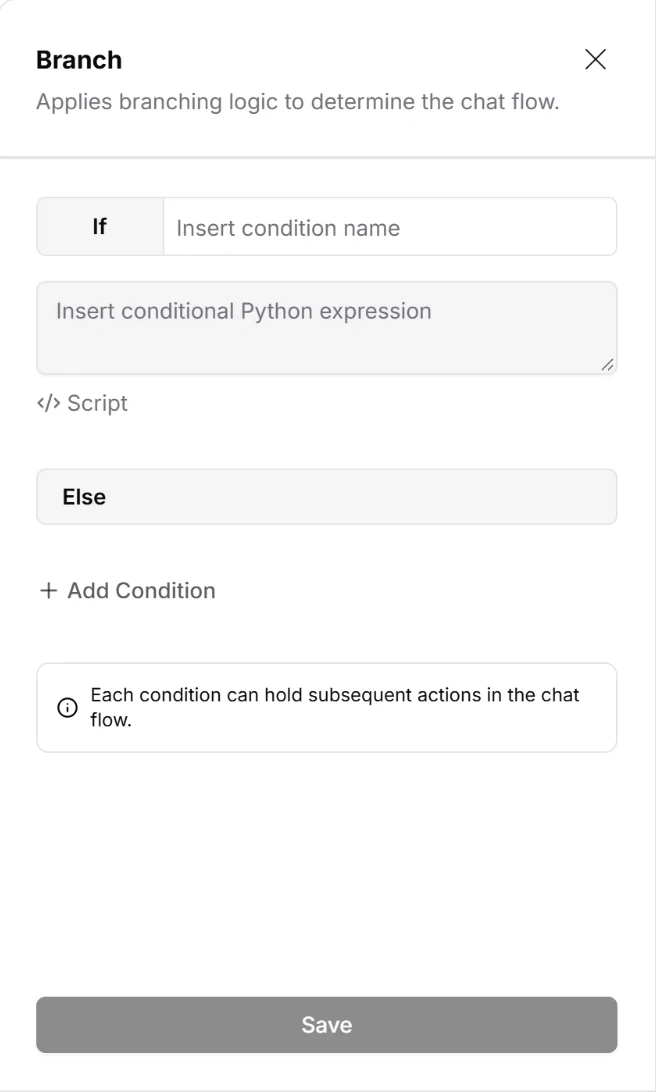
Each condition has:
| Setting | What it does |
|---|---|
| Name | Optional. A name your team will recognise, such as Gold customer, next to If or Else if. It’s shown in the workflow. |
| Condition | An expression that’s true or false, such as plan == "gold". |
The first condition is If. Select Add Condition for more – each one is an Else if, up to 9 in all. Else is always there, for when no condition is true.
Each condition saves as soon as you move out of its field.
Write a condition
Use variable names on their own, and put text in quotes.
| To check | Condition |
|---|---|
| A value is the same | plan == "gold" |
| A value is different | country != "UK" |
| A number is over a limit | order_total > 100 |
| Two things are both true | plan == "gold" and order_total > 100 |
| Either of two things is true | reason == "refund" or reason == "return" |
| A variable has a value | email_address |
| A variable is empty | not email_address |
| Text contains a word | "urgent" in _.lower(_user_input) |
| An API call found something | order.items and _.len(order.items) > 0 |
| A custom field’s value | _customer.custom_fields.Plan == "Gold" |
An empty value – None, 0, "" or an empty list – counts as false.
What happens
- Your AI agent checks the conditions from the top. The first one that’s true wins, and the actions under it run.
- If none is true, the actions under Else run.
- Then the workflow carries on with the action after the Branch.
If the winning condition has no actions, nothing runs for it – Else doesn’t run instead – and the workflow carries on.
Turn off a condition with its Enabled switch to skip it, without deleting its actions.
Good to know
- Conditions are case-sensitive:
"Gold"and"gold"are different. Use_.lower()to compare without caring, such as_.lower(plan) == "gold". - A condition with a mistake in it, such as a missing quote, stops the workflow at that point. So does a missing key or item in square brackets, such as
order.items[0]with no items – see In expressions. Test new conditions in the AI Agent tester. - For a list of variables you can check, see Variables.