Workflows
Send API
Call your own systems from a workflow – look something up, or send something to them.
Send API sends a request to a web address and saves the response – such as looking up an order in your shop, checking a booking or adding a lead to your CRM.
Settings
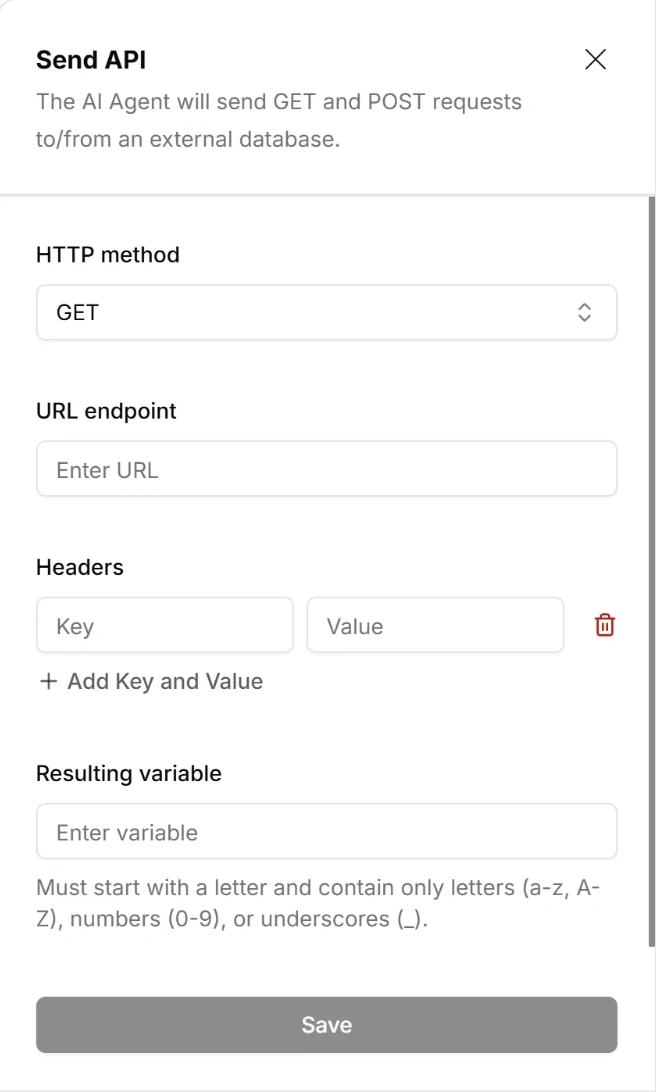
| Setting | What it does |
|---|---|
| HTTP method | GET, POST, PUT, DELETE or PATCH. |
| URL endpoint | The address to call, starting with https:// or http://. It can include variables, such as https://api.example.com/orders/{order_number}. |
| Headers | Optional. Select Add Key and Value for each header, such as an Authorization key with the value Bearer abc123. Keys and values can include variables. |
| Payload (JSON) | POST, PUT and PATCH only. The data to send – see Write the payload. |
| Resulting variable | Where to save the response, such as order. |
Every request is sent with these headers, unless you set your own:
Accept: application/json
Content-Type: application/json
Cache-Control: no-cache
User-Agent: protocx/1.0
Write the payload
The payload is an expression, not a template – write it like JSON, with variable names on their own instead of in curly brackets:
{
  "email": email_address,
  "name": _customer.name,
  "subscribed": True,
  "notes": None
}
Important: write
True,FalseandNonewith a capital letter. JSON’strue,falseandnullare read as variable names, and sent as empty.
To send a form instead of JSON, set a Content-Type header of application/x-www-form-urlencoded or multipart/form-data. The payload is still written as {"key": value}.
What happens
Proto sends the request and waits up to 30 seconds for a reply. It saves the response in your Resulting variable, then runs the branch that matches the reply.
Branches
| Branch | Runs when |
|---|---|
| Success | Your system replies with a 2xx status, such as 200 OK. |
| Error | Your system replies with an error status, such as 404 or 500. The error’s response is in your variable. |
| Timed out | There’s no reply within 30 seconds, or Proto can’t reach the address at all. |
With an empty branch, the workflow carries on with the action after Send API.
Use the result
If the response is JSON, it’s saved in your Resulting variable. Reach inside it with a full stop or square brackets:
| Response | In a message | In an expression |
|---|---|---|
{"status": "shipped"} | {order.status} | order.status == "shipped" |
{"items": [{"name": "Lamp"}]} | {order.items[0].name} | _.len(order.items) |
Proto also saves:
| Variable | What it holds |
|---|---|
_json_api_response | The response exactly as it came back, as text |
_json_api_error | What went wrong, or None if nothing did |
Good to know
- The person doesn’t see the request. Use a Send message under Success to tell them what you found.
- Proto only calls public addresses. A request to a private or internal address, such as
localhostor10.0.0.1, is skipped, and the workflow carries on. - Proto doesn’t retry a request that fails.
- If the response isn’t JSON, your Resulting variable is empty. Use
_json_api_responseinstead. - The status code isn’t saved. To tell errors apart, check the error response in your variable.
- A mistake in the payload, such as a missing comma, stops the workflow. Test it in the AI Agent tester.