Workflows
Message received
Start a workflow when the person's message means the same as one of its phrases.
Message received starts the workflow when the person’s message means the same thing as one of its phrases.
Settings
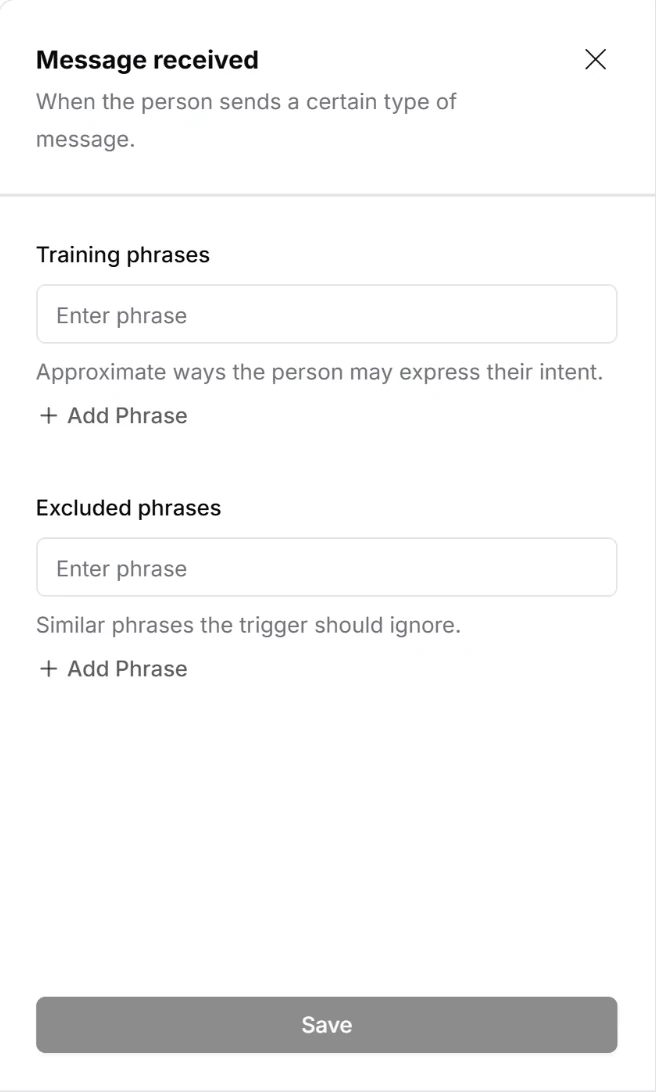
| Setting | What it does |
|---|---|
| Training phrases | Ways a person might ask for this, such as Where is my order? and Track my parcel. Select Add Phrase for each one. |
| Excluded phrases | Similar messages that should not start the workflow, such as Track my refund in an order-tracking workflow. |
What happens
Your AI agent compares by meaning, not by exact words, so a handful of varied phrases covers most ways of asking. A close match starts the workflow straight away. A less certain one is left to the large language model, which decides from the workflow’s Description.
Tip: you can leave Training phrases empty and rely on the Description. Add phrases for requests that must start the workflow every time.
Good to know
- Phrases are kept per language, and only the phrases in the chat’s language are compared.
- A voice message, once it’s turned into text, and a file sent with a caption are compared in the same way.